TABLE OF CONTENTS
If your school/district is using an integration such as Clever, ClassLink, or Google Classroom, you must use those credentials to log into FluencyLink. You will not be able to change your password on FluencyLink.
If you are not using an integration, follow the instructions below to change your password, depending on your account type.
Teachers & Administrators
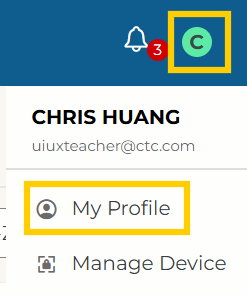
1. In the top right corner, click the circle, then click My Profile.
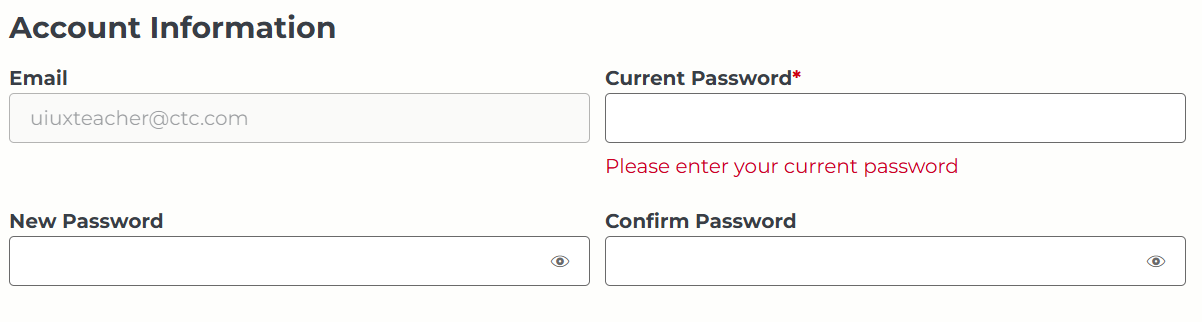
2. Under Account Information, enter your current password and new password.
3. Click Save.
Students, Independent Learners, and Other Users
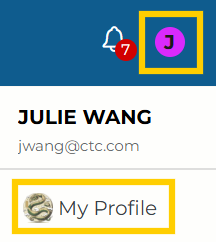
1. In the top right corner, click the circle, then click My Profile.
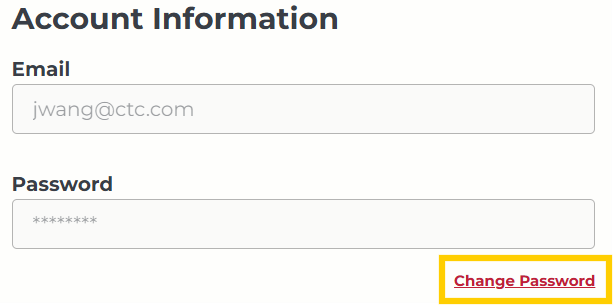
2. Under Account Information, click Change Password.
3. Enter your current password and new password.
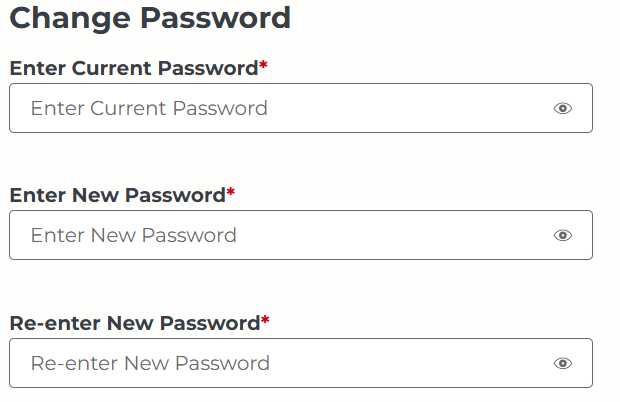
4. Click Update.
Was this article helpful?
That’s Great!
Thank you for your feedback
Sorry! We couldn't be helpful
Thank you for your feedback
Feedback sent
We appreciate your effort and will try to fix the article